

Key Takeaways
Why That Drawer Tablet Deserves Another Look
Most households have at least one tablet that's been set aside - not broken, just overtaken by a newer device or a phone with a bigger screen. Before it collects more dust or gets recycled, it's worth considering what that hardware can still do reliably.
Older tablets often have plenty of processing power for focused, low-demand tasks. The screen still works. The speakers still work. What's changed is usually the software support cycle - meaning the device no longer receives operating system updates from the manufacturer. That matters for security if you're using it as your primary browser or for sensitive accounts, but it matters far less if you're assigning it a specific, contained role.
The key mindset shift is moving from "general-purpose device" to "dedicated tool." A tablet assigned one job doesn't need to be fast, current, or loaded with apps. It just needs to do that one thing well. Below are several genuinely practical uses worth considering - along with honest notes about limitations.
On software support and security
When a tablet stops receiving operating system updates from its manufacturer, it becomes more vulnerable to security issues over time. This doesn't mean the device is immediately dangerous to use, but it does mean you should limit what accounts and data it can access. Dedicated, single-purpose roles - especially those that work offline - carry meaningfully lower risk than using an outdated device for general browsing, email, or financial apps.
Seven Practical Second Lives for an Old Tablet
Dedicated kitchen display for recipes
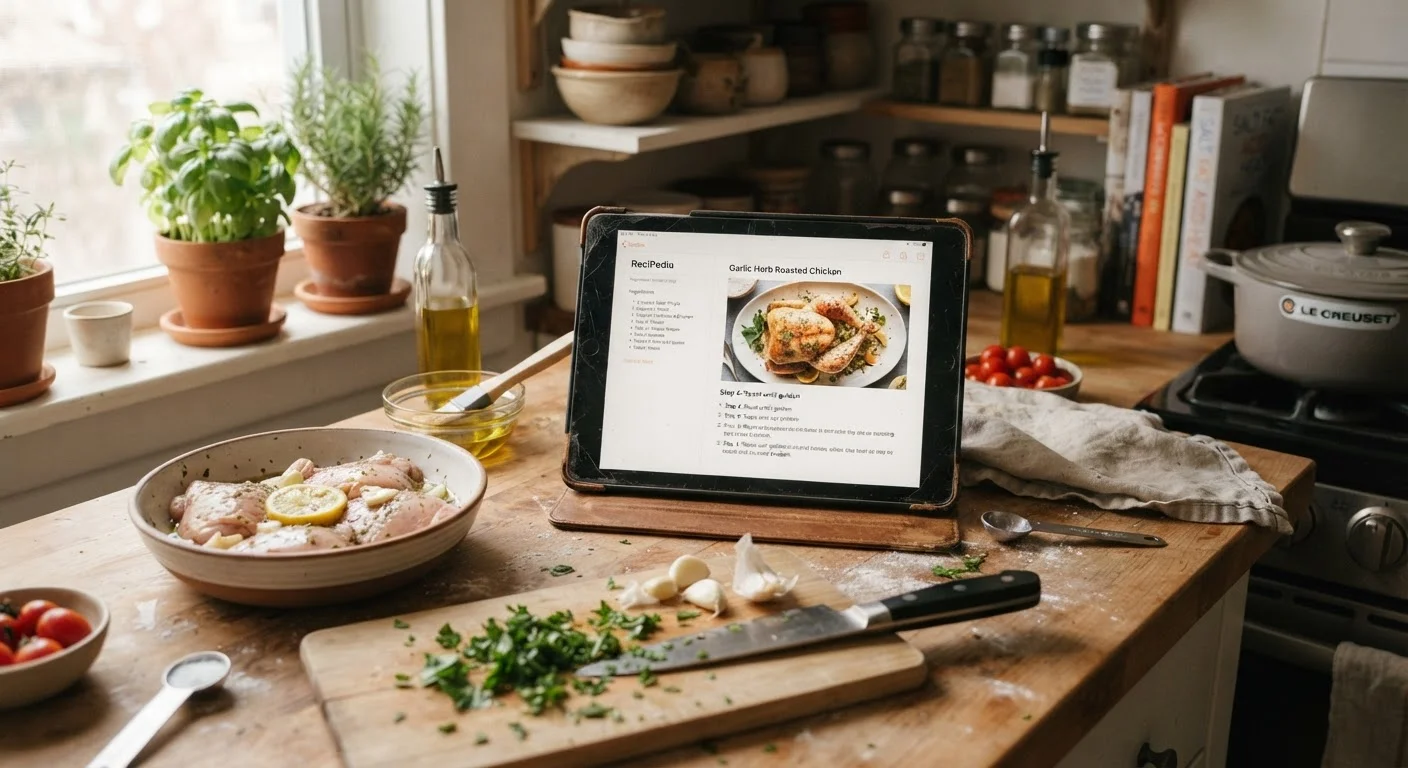
A tablet propped on the counter running a single recipe app is one of the most practical repurposing ideas for any household. Older hardware handles static recipe pages and timers without difficulty. You avoid getting cooking residue on your primary phone, and the larger screen is genuinely easier to read across the kitchen.
Set the display timeout to a longer interval so the screen stays on while you cook. Many recipe apps work offline once a recipe is saved, which means the tablet doesn't even need to stay logged into an account during use.
A dedicated recipe tablet keeps your primary phone clean and the screen readable across the room.
Home video intercom or monitoring display
If you have a video doorbell or an indoor camera system, an old tablet can serve as a permanent display mounted near the front door or in a common area. Rather than pulling out your phone every time someone rings, the tablet shows a live feed continuously or on demand.
Most major video doorbell platforms offer companion apps that work on older Android or iOS versions, though it's worth confirming minimum OS requirements before committing. Wall-mounting brackets designed for common tablet sizes are widely available and inexpensive.
A wall-mounted tablet makes a practical always-on display for a video doorbell or home camera.
Bedside reading and audiobook player
Older tablets work well as dedicated e-reading or audiobook devices, particularly if the screen quality is still good. Assigning them this single role means the battery isn't drained by background apps, making a charge last longer through the week.
Use night mode or the warmest color temperature setting the display allows to reduce eye strain before sleep. Keeping the tablet in airplane mode while reading locally downloaded content avoids unnecessary network activity on a device that may no longer receive security patches.
In airplane mode with downloaded content, an old tablet makes a low-distraction bedside reader.
Digital photo frame for a shared space
Several apps convert a tablet into a rotating photo display, cycling through images stored locally or pulled from a shared album. For common areas like a living room or hallway, this gives old family photos a visible, functional home rather than sitting buried in cloud storage.
To keep this use case simple and secure, consider loading photos directly onto the device rather than maintaining a live cloud sync connection on hardware that may be past its update support window.
A photo slideshow app gives an old tablet a warm, visible purpose in any shared living space.
Children's learning and entertainment device
An older tablet assigned specifically to a child can reduce wear on a primary device while giving kids a screen with appropriate boundaries. Many parental control tools and educational apps run on older operating systems, and a wiped, reconfigured tablet with a limited set of pre-approved apps is a reasonable setup for younger children.
Be realistic about the limitations: if the device no longer receives OS updates, avoid storing any account credentials on it and keep its use to downloaded content or carefully selected apps. Supervised use is the safer default for any device outside the security update window.
A wiped, limited-app tablet can be a sensible dedicated device for younger children under supervision.
Workout or meditation companion
A tablet propped near an exercise mat or stationary bike is easier to follow than a phone screen during workouts. Fitness instruction videos, music apps, and guided meditation tools all run comfortably on older hardware. Some digital mental health and wellness tools also work well on a dedicated device where they won't compete with notifications.
Download content in advance when possible, especially for audio-guided sessions, so the tablet can run in airplane mode and preserve battery during use.
Downloaded workout videos and meditation audio run smoothly on older hardware in airplane mode.
Smart home control panel
If your home uses smart lights, a connected thermostat, or similar devices, an old tablet mounted in a central location can serve as a dedicated control panel. Many smart home apps offer tablet-optimized layouts that are easier to navigate than phone-sized interfaces.
This use case does require the tablet to stay connected to Wi-Fi and maintain app accounts, so the security considerations are more significant. Keeping the apps updated and using a strong, unique Wi-Fi password are minimum precautions. Understanding the broader trade-offs of smart home gadgets is useful context before building a dedicated control setup around older hardware.
A centrally mounted tablet can simplify smart home control with a larger, always-accessible interface.
Match the use case to the hardware's limits
Before committing to a repurposed role, check what OS version the tablet runs and whether the apps you need still support it. Most app stores clearly list minimum requirements. Choosing a use case that works offline or with minimal account access sidesteps most of the security concerns that come with older, unpatched devices.
A Few Things to Sort Out Before You Repurpose
Before putting an old tablet back into service, take a few straightforward steps. First, do a factory reset if the device was previously used by someone else or if it has accumulated years of apps and accounts. This gives you a cleaner, lighter starting point. Second, sign in with a minimal account - ideally one that isn't tied to financial information or sensitive email. Third, disable features the device won't need in its new role, such as location services, Bluetooth, or automatic cloud backups, to reduce the surface area for potential security issues.
For more on keeping any device reasonably secure without technical expertise, see practical device security habits that apply to older hardware too. And if your repurposed tablet ends up connected to smart home devices, it's worth understanding the trade-offs that come with connected gadgets before adding complexity.
None of these steps require technical know-how - they're straightforward settings adjustments that make a real difference. An old tablet given a defined role, set up sensibly, can serve your household reliably for years more.