

| Primary role of a modem | Translates ISP signal into usable digital data |
| Primary role of a router | Distributes internet access and manages local network traffic |
| What a gateway combines | Modem + router in one device |
| Typical ISP-supplied equipment | Gateway (combo unit) |
| Wired connection standard | Ethernet (Cat 5e, Cat 6, or Cat 6A cable) |
| Wi-Fi originates from | The router or the wireless side of a gateway |
The Three Devices - and Why They're Often Confused
Walk into almost any American household and you'll find at least one blinking box near the cable outlet or phone jack. Many people call it "the router" regardless of what it actually is. In reality, three distinct types of hardware can occupy that spot - a modem, a router, or a gateway - and each does a fundamentally different job.
The confusion is understandable. ISPs rarely explain what they're handing you, and the devices look similar from the outside. Understanding the difference matters practically: it affects how you troubleshoot outages, whether you can upgrade individual components, and whether you're paying an unnecessary equipment rental fee.
| Primary role of a modem | Translates ISP signal into usable digital data |
| Primary role of a router | Distributes internet access and manages local network traffic |
| What a gateway combines | Modem + router in one device |
| Typical ISP-supplied equipment | Gateway (combo unit) |
| Wired connection standard | Ethernet (Cat 5e, Cat 6, or Cat 6A cable) |
| Wi-Fi originates from | The router or the wireless side of a gateway |
For a deeper look at the connection types these devices serve - cable, fiber, DSL, and more - see Home Internet Explained.
What Each Device Actually Does
The Modem
Your ISP delivers internet service as a signal - electrical, optical, or radio depending on the technology. A modem's job is to translate that raw signal into standard digital data that computers and other devices understand. Without a modem (or the modem function built into a gateway), your home equipment has no way to interpret what's coming in from the ISP's network.
A standalone modem has two ports: one that connects to the ISP's line (coaxial cable, phone line, or fiber terminal) and one Ethernet port that outputs to a router or directly to a single computer.
The Router
A router connects to the modem's output and manages traffic within your home. It receives one public IP address from your ISP and then assigns private IP addresses to every device on your local network - phones, laptops, smart TVs, and anything else connected. It also enforces a basic firewall between your home devices and the wider internet.
Wi-Fi comes from the router, not the modem. A wired-only router requires a separate wireless access point; most modern routers include built-in Wi-Fi. Learn more about how these two devices divide responsibilities.
The Gateway
A gateway merges the modem and router into a single unit. This is the equipment most ISPs ship to new customers. It handles signal translation, local network management, and wireless broadcasting from one box. The trade-off is flexibility: if one function fails or you want to upgrade only the router component, you're dealing with the whole unit rather than a replaceable part.
ISP Equipment vs. Your Own Hardware
Many ISPs lease a gateway to customers as part of a monthly fee. You generally have the right to use your own compatible modem or router instead, which can eliminate the rental charge. Before purchasing separate equipment, confirm with your ISP which device models are supported on your specific service type - compatibility varies by connection technology (cable, fiber, DSL) and provider.
Understanding these roles also helps decode the line items on your monthly bill. Common Terms on Your Internet Bill breaks down the jargon you'll find there.
How the Hardware Fits Together
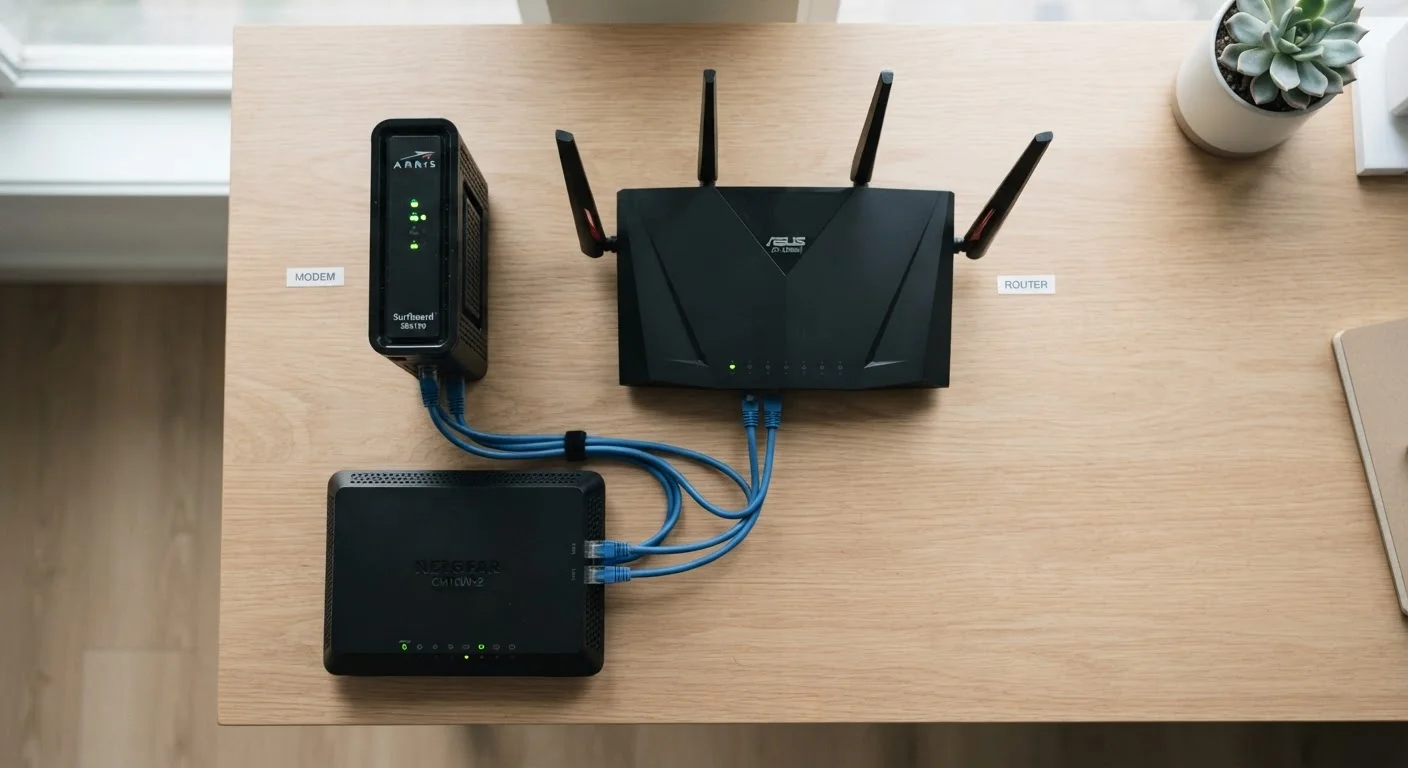
In a two-device setup, the connection chain is straightforward: ISP line → modem → router → your devices. The modem bridges the outside world; the router manages the inside.
In a gateway setup, the same chain collapses to: ISP line → gateway → your devices. Internally the gateway is still performing both functions - it simply does so within one enclosure.
Modem
A device that converts the signal from your ISP's network (cable, fiber, or phone line) into a digital signal your home devices can use. The word is short for modulator-demodulator.
Router
A device that directs network traffic between your home devices and the internet. It also assigns private IP addresses to each device on your local network using a protocol called DHCP.
Gateway
A single device that combines the functions of both a modem and a router. ISPs commonly supply a gateway as their standard equipment for residential customers.
IP Address
A numerical label assigned to each device on a network. Your ISP assigns your home one public IP address; your router then assigns private IP addresses to each device inside your home.
WAN Port
The Wide Area Network port on a router - the single port that connects the router to the modem (or to the internet-facing side of a gateway).
Ethernet
A wired networking standard that connects devices using a physical cable, typically offering faster and more stable connections than Wi-Fi.
DHCP
Dynamic Host Configuration Protocol - the system a router uses to automatically assign a unique private IP address to each device that joins the network.
One practical consideration: if you connect a personal router to a gateway supplied by your ISP, you may encounter a configuration problem called double NAT - where two devices are each trying to manage IP address assignment simultaneously. This can cause issues with certain applications and online gaming. ISPs can often put a gateway into "bridge mode" to disable its router functions, letting your personal router take over. Ask your ISP's support team if this applies to your setup.
When you're ready to verify your entire setup, the Home Network Setup Checklist walks through each component in sequence.