

Key Takeaways
Option A
Fiber Internet
The high-performance, symmetrical standard.
Best for: Households that need consistent, high-speed uploads and downloads - remote workers, frequent video callers, and multi-device homes.
Option B
Cable Internet
The widely available, established option.
Best for: Households in areas without fiber access, or those satisfied with strong download speeds at a more common price point.
If you regularly upload large files, video conference, or work remotely
Fiber Internet
Fiber's symmetrical speeds mean uploads are as fast as downloads, which matters enormously for video calls, cloud backups, and remote collaboration tools.
If fiber isn't available in your area
Cable Internet
Cable reaches a far broader portion of U.S. addresses and can deliver competitive download speeds for streaming, browsing, and moderate multi-device use.
If your household runs many devices simultaneously during peak evening hours
Fiber Internet
Fiber networks are less prone to congestion-related slowdowns, making them more reliable when neighborhood demand spikes.
If you want a proven, widely serviced connection type with broad equipment support
Cable Internet
Cable infrastructure is mature, broadly supported, and ISP technician availability for troubleshooting is generally strong across most markets.
How Each Technology Actually Works
Understanding what separates fiber from cable starts at the infrastructure level - not the marketing level.
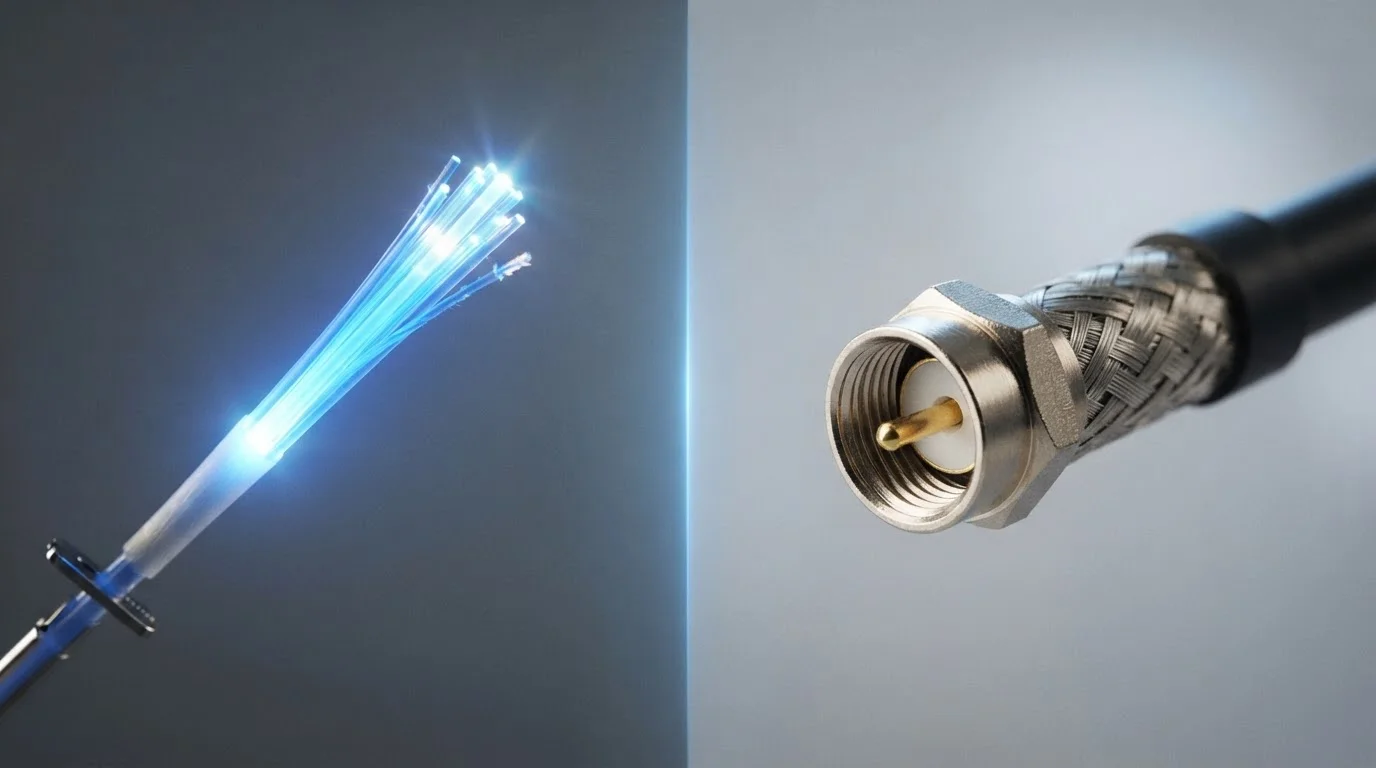
Fiber internet transmits data as pulses of light through thin strands of glass or plastic (optical fiber). Because light doesn't degrade over distance the way electrical signals do, fiber can maintain consistent speeds across much longer runs of cable without the signal loss that plagues older technologies. For a fuller breakdown of all major connection types, see Home Internet Explained.
Cable internet runs over coaxial cable - the same physical infrastructure originally built for cable television. It uses electrical signals rather than light, and while modern cable (including DOCSIS 3.1, the current protocol standard) can achieve very high download speeds, it has inherent architectural trade-offs that affect upload performance and congestion behavior.
These aren't minor technical distinctions. They have direct, practical consequences for what your connection feels like on an ordinary Tuesday night.
| Criterion | Fiber Internet | Cable Internet |
|---|---|---|
| Signal medium | Light through glass/plastic fiber | Electrical signal through coaxial cable |
| Upload vs. download speed | Symmetrical (equal both ways) | Asymmetrical (uploads much slower) |
| Peak-hour congestion | Generally less affected | More susceptible to shared-node slowdowns |
| Maximum download speeds | Up to multi-gigabit in some markets | Up to 1-2 Gbps on DOCSIS 3.1 |
| U.S. household availability | Expanding but still limited | Broadly available in most urban/suburban areas |
| Infrastructure maturity | Newer, actively expanding | Established, widely serviced |
| Signal degradation over distance | Minimal - light travels farther cleanly | More pronounced without amplification |
Speed, Symmetry, and the Upload Gap
Download speed - how fast data comes to your device - gets most of the attention in ISP advertising. But for an increasing share of households, upload speed matters just as much.
Fiber connections are typically symmetrical: a 500 Mbps fiber plan usually delivers 500 Mbps in both directions. Cable plans are almost always asymmetrical by design, with download speeds far outpacing uploads. A cable plan advertised at 500 Mbps download may offer only 20-35 Mbps upload on older DOCSIS 3.0 infrastructure, though DOCSIS 3.1 and the newer DOCSIS 4.0 standard are narrowing that gap in some markets.
Why does upload speed matter? Remote work platforms, video conferencing, cloud storage sync, and livestreaming all depend on upload bandwidth. A household with two adults working from home and a student on video calls can strain even a nominally fast cable plan if upload capacity is limited.
~43%
U.S. homes with fiber access
According to FCC fixed broadband deployment data, fiber-to-the-premises availability has grown but still trails cable coverage significantly across U.S. addresses.
10-35 Mbps
Typical cable upload on DOCSIS 3.0
Most cable plans on older DOCSIS 3.0 infrastructure cap upload speeds well below 50 Mbps, even when download speeds reach 300-500 Mbps.
~90%+
U.S. homes with cable broadband access
Industry estimates consistently place cable broadband coverage - including HFC networks - among the most pervasive wired internet technologies in the United States.
Congestion, Reliability, and Peak-Hour Performance
Cable internet runs on a shared network architecture in most deployments. Multiple households in a neighborhood share the same physical node, which means that when everyone logs on in the evening, available bandwidth is divided. During peak hours - typically 7-10 p.m. - cable users may experience noticeably slower speeds than their plan advertises.
Fiber networks are generally less susceptible to this congestion effect. The higher capacity of optical fiber infrastructure means that node-level sharing causes less real-world degradation. This doesn't mean fiber is immune to network issues, but the architecture is more resilient under heavy simultaneous demand.
Reliability data from the FCC's Measuring Broadband America program has historically shown that fiber providers more consistently deliver speeds at or above advertised levels compared to cable providers during peak periods, though results vary by ISP and region.
DOCSIS 4.0 Is Changing the Cable Picture
The newest cable modem standard, DOCSIS 4.0, is designed to deliver multi-gigabit speeds and significantly improved upload performance - potentially approaching symmetrical speeds in future deployments. However, widespread rollout is still in early stages as of this writing, and most cable subscribers remain on DOCSIS 3.0 or 3.1 infrastructure. Check with your ISP about what standard your local network uses before drawing speed conclusions from plan advertising alone.
Availability: The Factor That Often Decides It
All of fiber's performance advantages are irrelevant if it isn't available at your address. As of recent FCC reporting, fiber-to-the-home service reaches a meaningfully smaller share of U.S. addresses than cable. Cable's legacy infrastructure is embedded across most urban and suburban markets, making it the default choice for the majority of American households who can't access fiber.
Fiber deployment is expanding - driven by both private ISP investment and federal broadband funding programs - but the rollout is uneven. Rural areas, in particular, often lack both fiber and cable, leaving residents to evaluate DSL or fixed wireless alternatives. If you're in that situation, DSL vs. Fixed Wireless Internet covers those options in detail.
Before evaluating plans on price or speed tiers, checking actual availability at your address - through ISP websites or the FCC's broadband map - is the essential first step.
What This Means for Everyday Household Use
For most households, the practical differences between fiber and cable surface in specific scenarios rather than constant daily use. Casual browsing, standard-definition video, and light streaming work adequately on either technology at moderate speeds.
The gap becomes apparent when demand intensifies: a 4K stream and a video call running simultaneously, a large file upload from a home office, or five devices competing for bandwidth during homework hour. In those moments, fiber's symmetrical speeds and lower congestion susceptibility translate into a measurably smoother experience.
One often-overlooked factor: your home network setup matters too. A capable router and, where appropriate, a wired Ethernet connection can make a meaningful difference regardless of which service you have. For context on that, see Wired vs. Wi-Fi.
If neither fiber nor cable is available where you live, satellite internet may be worth understanding as a fallback, though it carries its own distinct trade-offs.