

Key Takeaways
Option A
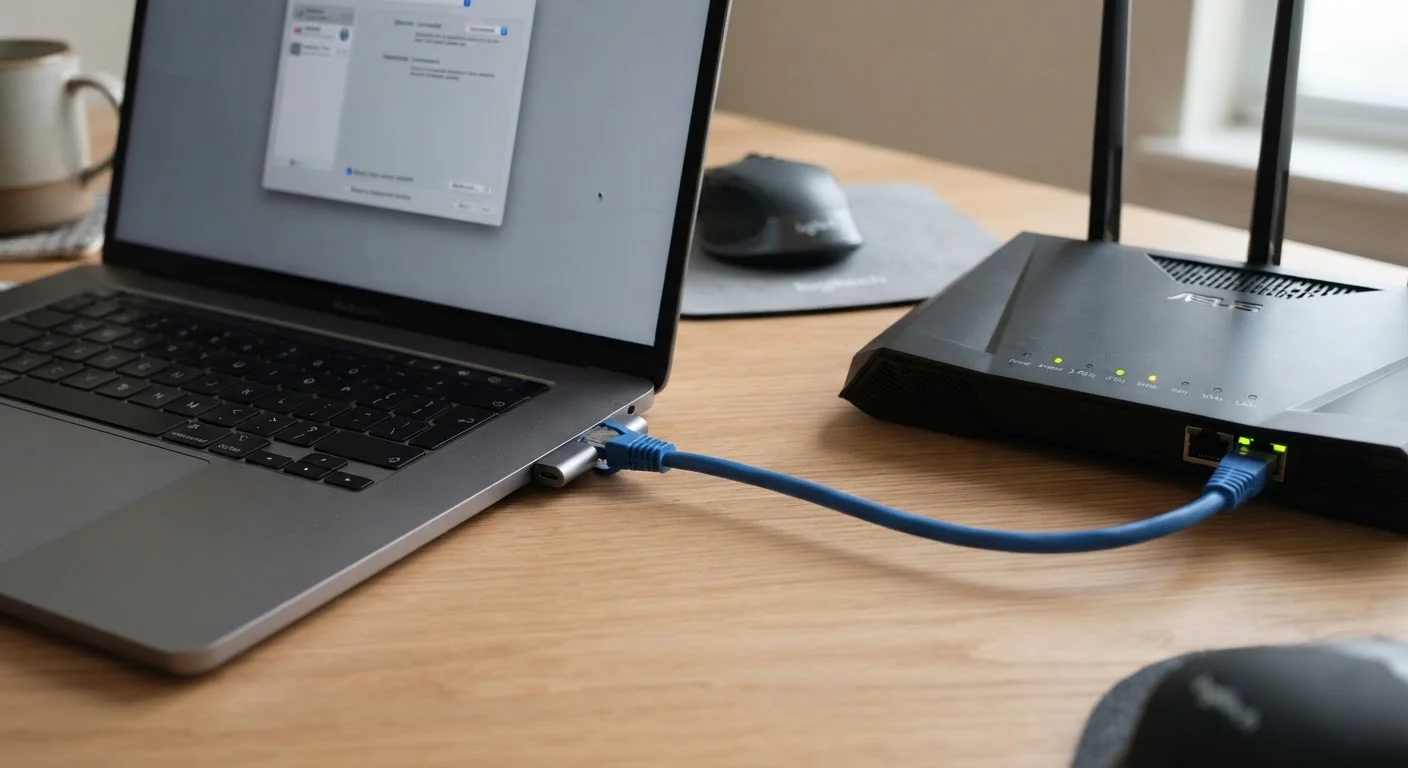
Wired Ethernet
The reliable, consistent backbone connection.
Best for: Users who need stable, low-latency performance for gaming, video calls, or large file transfers.
Option B
Wi-Fi
The flexible, cable-free everyday option.
Best for: Households that prioritize convenience and mobility across multiple rooms and devices.
If you work from home with frequent video calls or large cloud uploads
Wired Ethernet
A wired connection eliminates packet loss and jitter that can disrupt calls, and sustains consistent upload speeds that Wi-Fi can struggle to maintain under interference.
If you game online and care about competitive responsiveness
Wired Ethernet
Even modest reductions in latency and packet loss are meaningful in real-time gaming, and a cable removes variables that wireless networks introduce.
If you stream video, browse the web, or use smart home devices
Wi-Fi
These tasks are not sensitive to minor latency fluctuations, and the convenience of wireless connectivity outweighs any performance difference for light usage.
If your router is in a different room or floor from your main device
Wired Ethernet
Distance and walls degrade Wi-Fi signals substantially; running a cable or using a powerline adapter can restore consistent performance without a signal penalty.
If you have many mobile devices and move around your home regularly
Wi-Fi
Mobility is Wi-Fi's core strength - laptops, phones, and tablets benefit from wireless freedom that a cable physically cannot provide.
What Actually Separates Wired and Wi-Fi Performance
The practical difference between a wired Ethernet connection and Wi-Fi comes down to three technical properties: latency (response time), packet loss (data that doesn't arrive), and consistency (how stable those values are over time). A physical cable controls all three in ways that radio signals simply cannot guarantee.
Wi-Fi transmits data as radio waves through the air, which means it competes with neighboring networks, cordless phones, microwaves, and physical barriers like walls and floors. A wired connection has none of those variables. The signal travels through copper wire from your device to your router, uninterrupted.
For a deeper look at what your home internet service actually delivers before it even reaches your router, see our plain-language breakdown of connection types and speeds.
| Criterion | Wired Ethernet | Wi-Fi |
|---|---|---|
| Latency | Consistently low (1-5 ms typical) | Variable (5-50+ ms depending on conditions) |
| Packet loss | Negligible under normal use | Higher risk under interference or congestion |
| Speed consistency | Stable, close to subscribed speed | Fluctuates with distance and interference |
| Setup complexity | Requires cable run or adapter | No physical installation needed |
| Device mobility | None - device must be tethered | Full - move anywhere in range |
| Interference susceptibility | None | Significant in dense environments |
| Best use case | Gaming, video calls, large transfers | Streaming, browsing, mobile devices |
Where the Difference Becomes Noticeable - and Where It Doesn't
Not every household task exposes the gap between wired and wireless. Latency-sensitive activities show the clearest difference. Online gaming, video conferencing, and real-time financial platforms all depend on fast, reliable two-way data exchange. A spike in latency or a burst of packet loss - both more common on Wi-Fi - can cause lag, dropped frames, or failed transactions.
Streaming video, by contrast, buffers content ahead of playback, so moderate latency rarely causes visible problems. General web browsing and social media are similarly tolerant of minor wireless instability. For these uses, a well-placed router providing strong Wi-Fi signal is fully adequate.
The calculus also depends on your home layout. If your router sits across the house or one floor above your primary device, distance and construction materials will measurably reduce Wi-Fi throughput. Our guide to whole-home Wi-Fi coverage explains how placement and equipment choices affect signal strength - but even optimized Wi-Fi cannot match the baseline consistency of a direct cable run.
~5 ms
Typical wired Ethernet latency
Wired connections generally sustain single-digit millisecond latency under normal household conditions, compared to Wi-Fi which can spike considerably higher.
30-50%
Potential Wi-Fi throughput loss at distance
Industry testing consistently shows that Wi-Fi throughput can drop by 30-50% or more as distance from the router increases and walls intervene.
Up to 9.6 Gbps
Maximum theoretical Wi-Fi 6 throughput
Wi-Fi 6 raises the theoretical ceiling significantly, but real-world household speeds are a fraction of this figure due to interference and device limitations.
The Wi-Fi 6 Question: Does the New Standard Change the Math?
Wi-Fi 6 (802.11ax) introduced meaningful improvements - higher aggregate throughput, better handling of congested environments, and a feature called TWT that helps battery-powered devices communicate more efficiently. These advances are real, and they reduce some of the traditional weaknesses of wireless networking.
But Wi-Fi 6 does not eliminate latency variability or interference susceptibility. In a dense apartment building where dozens of overlapping networks compete on the same spectrum, even a Wi-Fi 6 router will experience contention. A wired device on the same network won't. Wi-Fi 6 explained in plain language covers what the standard genuinely improves and what it doesn't.
The practical takeaway: Wi-Fi 6 is a worthwhile upgrade for households with many wireless devices, but it's best understood as raising the ceiling on wireless performance - not as a replacement for a cable when consistency is the priority.
Powerline and MoCA Adapters: A Middle Path
If running a dedicated Ethernet cable through walls isn't practical, powerline adapters (which carry network signals over your home's electrical wiring) and MoCA adapters (which use existing coaxial cable) offer a wired-quality connection without major installation work. Performance varies by home wiring age and condition, but both options typically outperform Wi-Fi for latency and consistency in real-world use.
Making a Practical Decision for Your Home
Most households will benefit from a mixed approach: keep high-demand, stationary devices - a desktop computer, a gaming console, a smart TV used for work calls - on Ethernet, while phones, tablets, and guest devices connect wirelessly. This doesn't require rewiring your home; powerline adapters and MoCA adapters can carry a wired signal through existing electrical or coaxial wiring with minimal installation effort.
Understanding what your router and modem each contribute to this setup matters too. Our router vs. modem explainer clarifies how those two devices divide responsibilities - relevant context before making any changes to your home network.
If your broadband service itself is the bottleneck, no local networking change will resolve it. For households weighing service options, our comparison of fiber vs. cable internet outlines where performance differences originate at the service level.